
New Rabbit Hole Feature: Rolling Averages

BetspertsGolf

a year ago

As we continue to improve and strive to give you the best ways to dive into the data, we’ve “rolled” out another new feature. Pun very much intended. As someone who’s built this sort of thing by hand in the past, I’m quite excited to be able to look at rolling averages on the main Rabbit Hole screen.
Simply select “Rolling Averages” in the View menu on at the top.
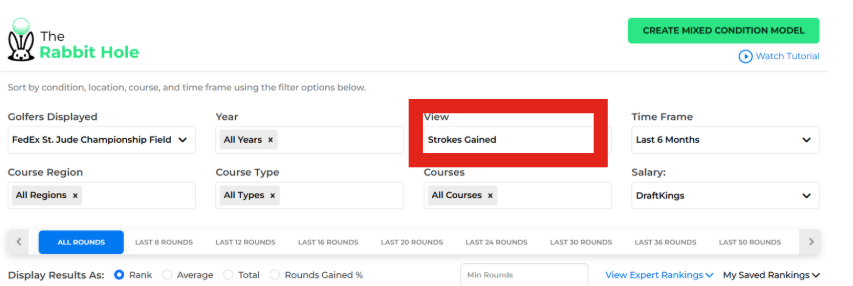
Beside the data table changing, the other main difference you’ll notice is that the Year menu will disappear (it’s not needed here) and will instead become a Metric menu for you to choose from. This menu will decide what stat you’ll get a rolling average for. It includes all the major strokes gained categories, as well as driving distance, accuracy, club head speed, apex height and two dozen more.
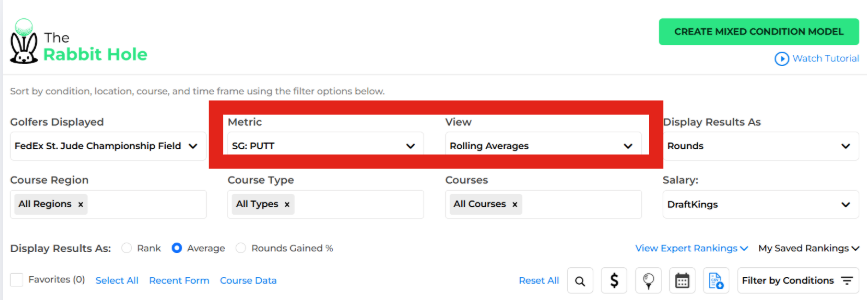
You more than likely will want to change the Display Results As from rank to average for most of these as rank is comparitive and may not tell you the whole story if it’s a metric like driving distance that has steadily improved for most of the league.
As Ron Klos pointed out in his tweet, it’s a great way to check how players are trending in whatever strokes gained data (or other stat categories) you’d like. Here he highlighted Ben Griffin‘s improvement in driving distance as he’s worked on some mechanics to increase club head speed.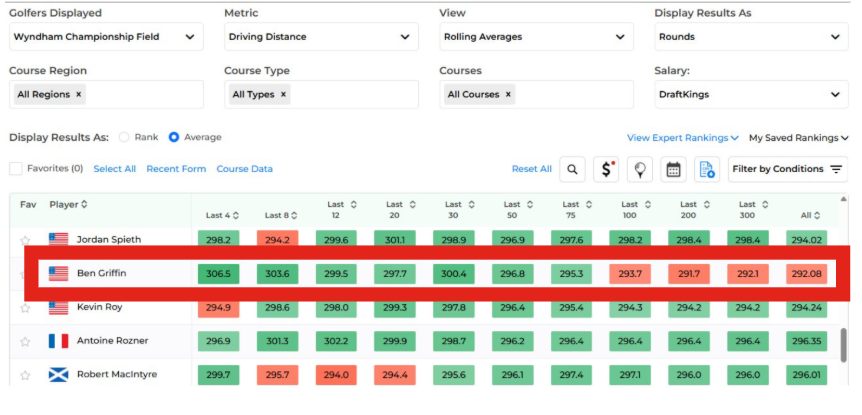
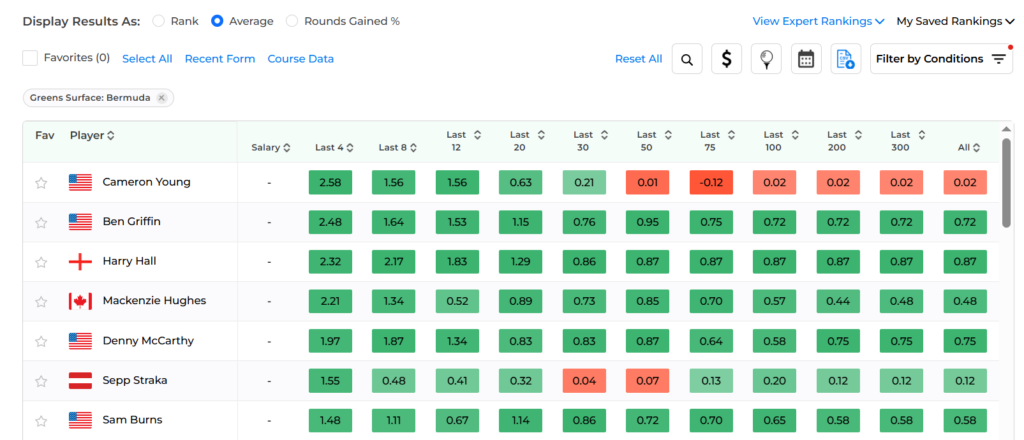
and, since it’s the Rabbit Hole, this menu is of course able to be filtered. I would caution against using more than one at a time, as small sample sizes for this sort of data viz is going to cause some issues, but adding a filter like say, Bermuda greens, where you know there are plenty of rounds and looking at SG: Putting could be illuminating. Hey look, there’s Cam Young!
So, as always, go play around with it and give us some feedback. We’re always looking for the next best idea, and it’s a lot easier if you just come up with it for us. Our DMs are open on Twitter and if you’re a member, the Discord is a great place to send us a message as well.